
Desktop software · Hardware control
Silah
A native Windows workspace for cooling, lighting, and a screen that feels your own.
A closer look.
Silah brings the Lian Li HydroShift II OLED into one focused Windows application: monitor temperatures, tune cooling, control lighting, and compose the display. It connects my interest in thoughtful interfaces with the hardware on my desk.
- Role
- Personal project
- Platform
- Native Windows · .NET 8
- Focus
- Software that meets hardware
01 / The work
What I built.
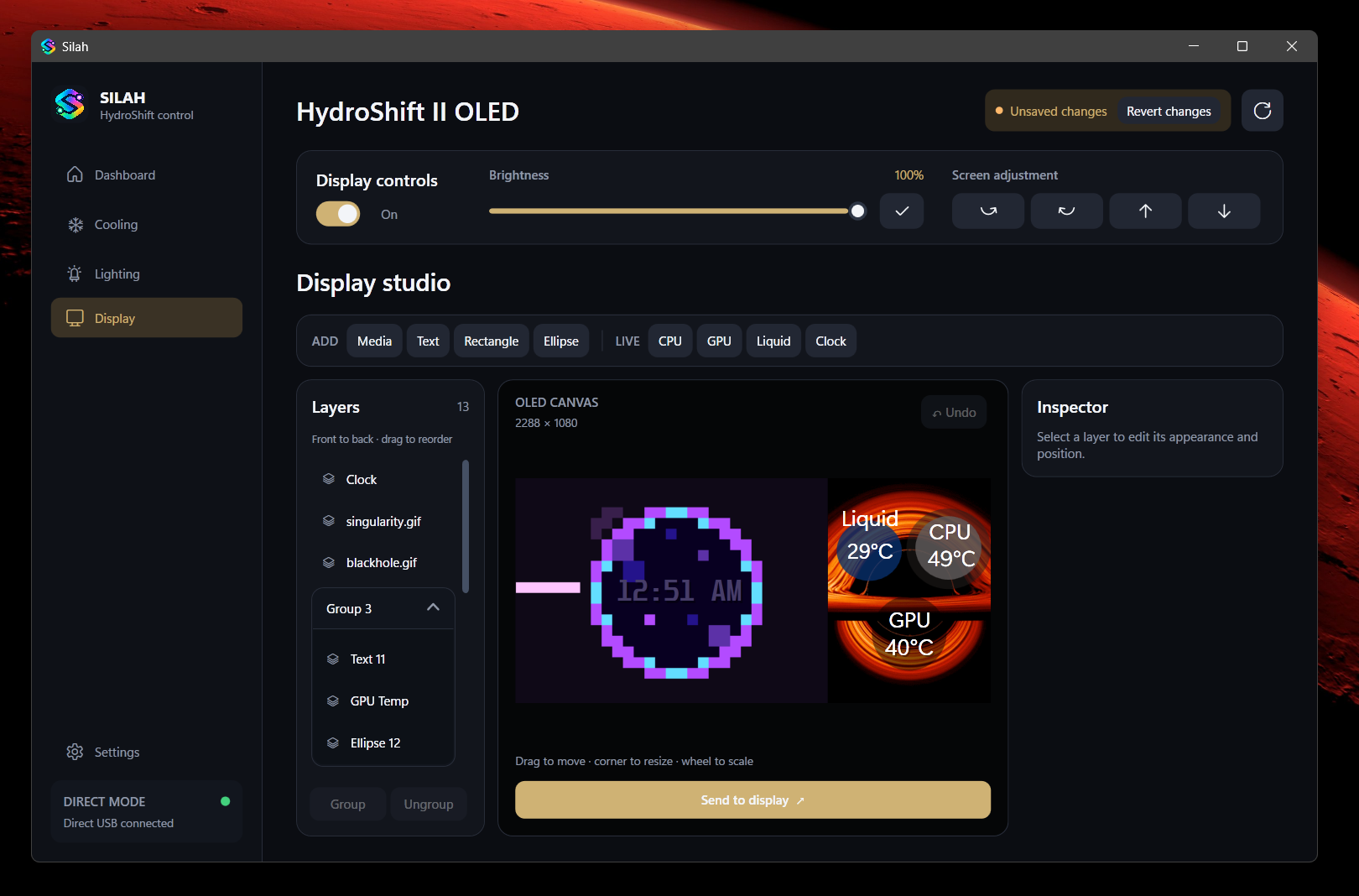
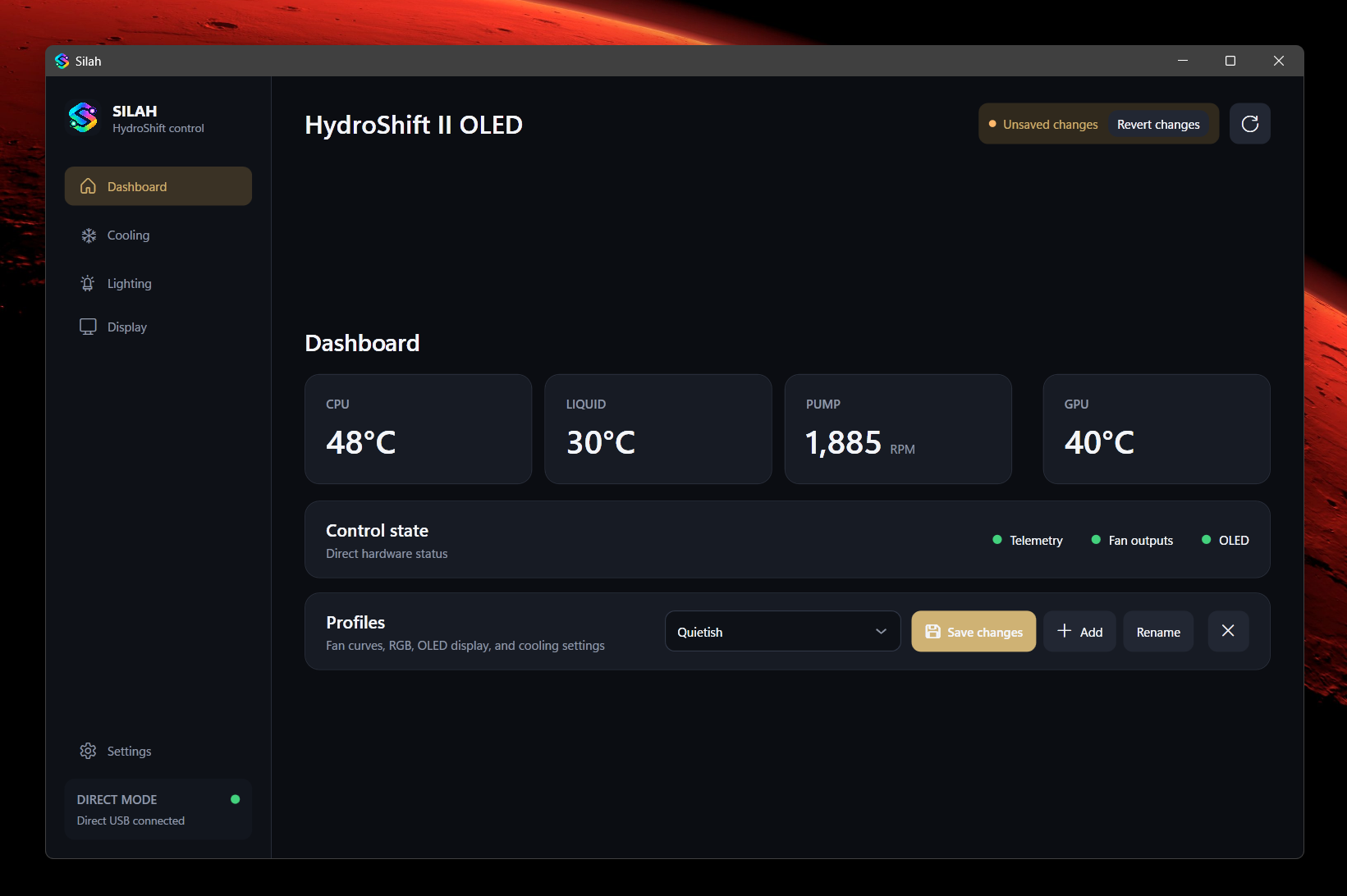
I built a dedicated control application around the everyday jobs of a PC setup: understanding its state, adjusting how it behaves, and making the OLED display personal. The interface brings cooling, lighting, display composition, and complete profiles into the same workspace.
02 / The interaction
One workflow, end to end.
Build a composition
Bring images, GIFs, video, text, and shapes onto the OLED canvas. Add live CPU, GPU, or liquid temperatures and a clock.
Make the layers work
Move, resize, crop, group, and reorder layers. Snapping and undo support the small adjustments that make a layout feel finished.
Send it to the screen
Send the composition to the OLED and keep the complete setup in a profile alongside cooling and lighting preferences.
03 / Under the surface
Keep the control close to the hardware.
Silah is a native Windows application with local settings and direct device control. It does not need a cloud account or an embedded browser to operate the cooling system and display.
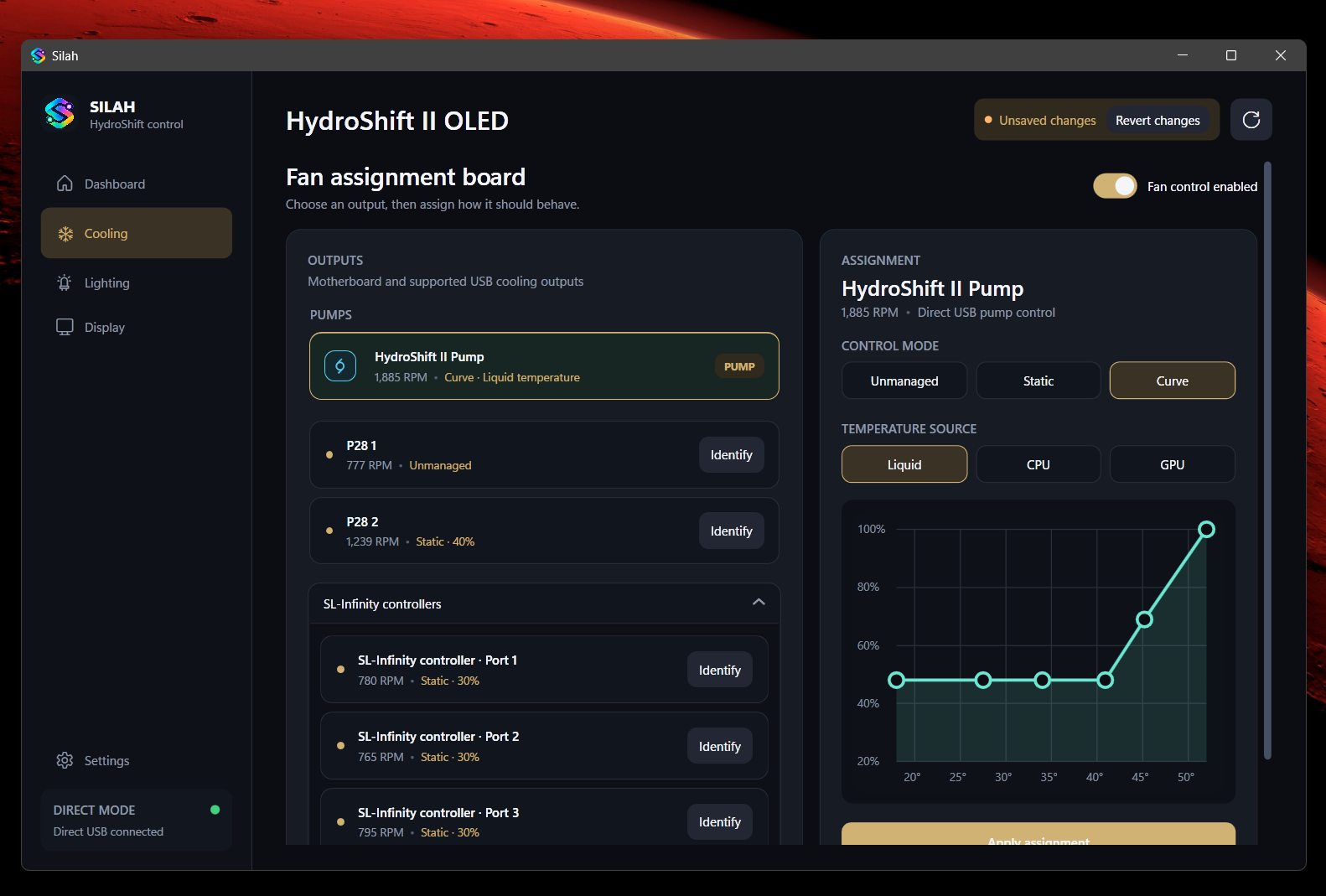
Hardware is discovered at runtime. Identifying outputs and assigning controllers is part of the workflow, so the interface can describe the connected setup without assuming one fixed PC layout.
The display editor is a useful contrast: precise hardware commands underneath, a visual composition tool on top. Media, live telemetry, ordering, and profiles give those low-level capabilities a familiar interface.
04 / The result
A complete workspace, in one executable.
The published Windows release packages the application, .NET runtime, and media encoder into a self-contained executable. Silah remains an experimental hardware-control project, with supported devices and current limitations documented alongside each release.