
Web application · Game tools
Wizard101 Gear Searcher
Turn a sprawling gear catalogue into a clear, personal search for the next upgrade.
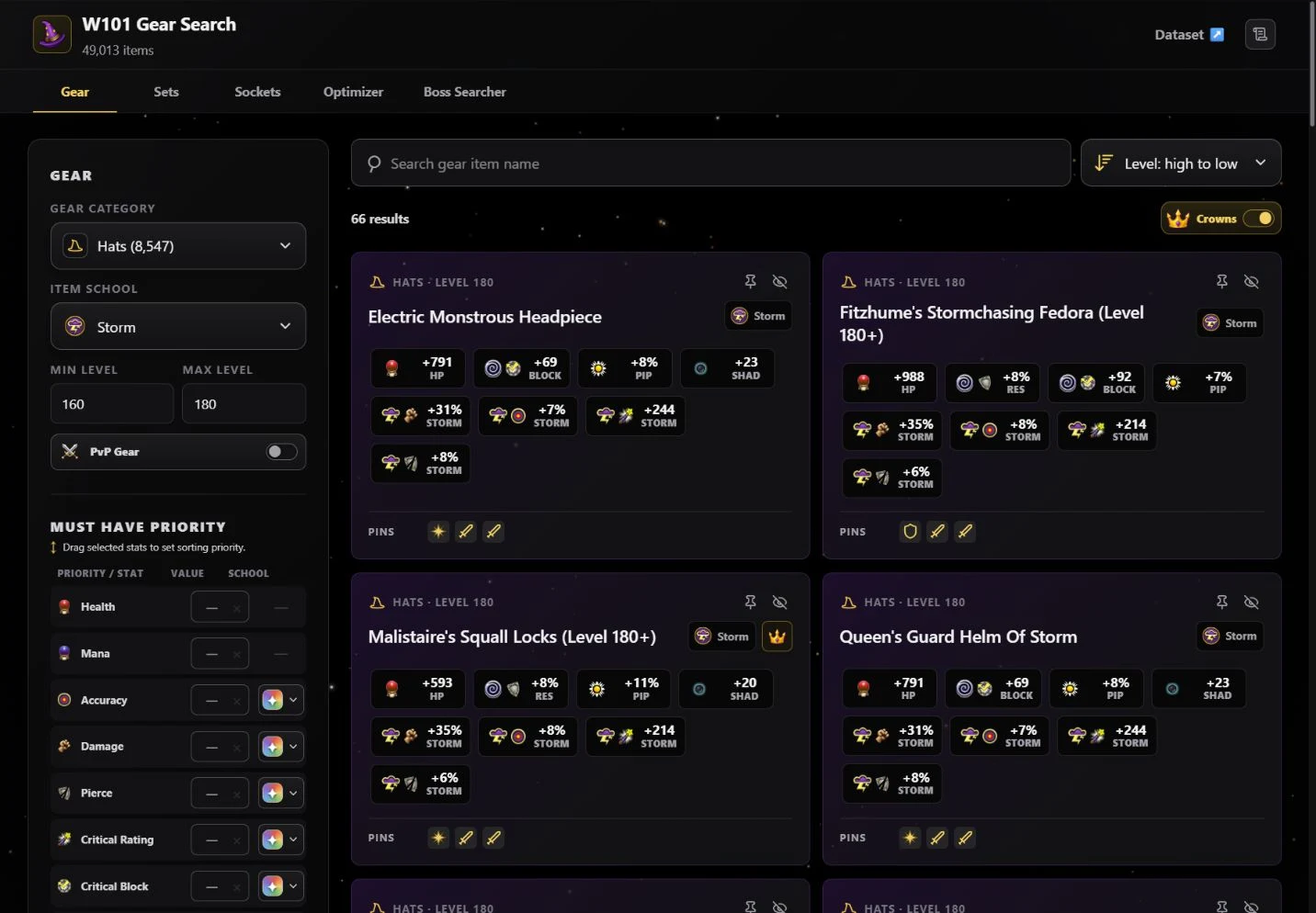
A closer look.
A fan-made search tool for Wizard101 players. Browse gear, sets, and sockets; narrow by school, level, and exact stats; then explore the items that fit. The live application is named W101 Gear Search.
- Role
- Personal project
- Platform
- React · TypeScript · Next.js
- Focus
- Making dense data useful
01 / The work
What I built.
I built the browsing and filtering experience around the decisions players actually make: item category, school, level, and the stats that matter to a build. The wider tool includes sets, socket items, a loadout optimizer, and searchable creature profiles.
02 / The interaction
One workflow, end to end.
Set the boundaries
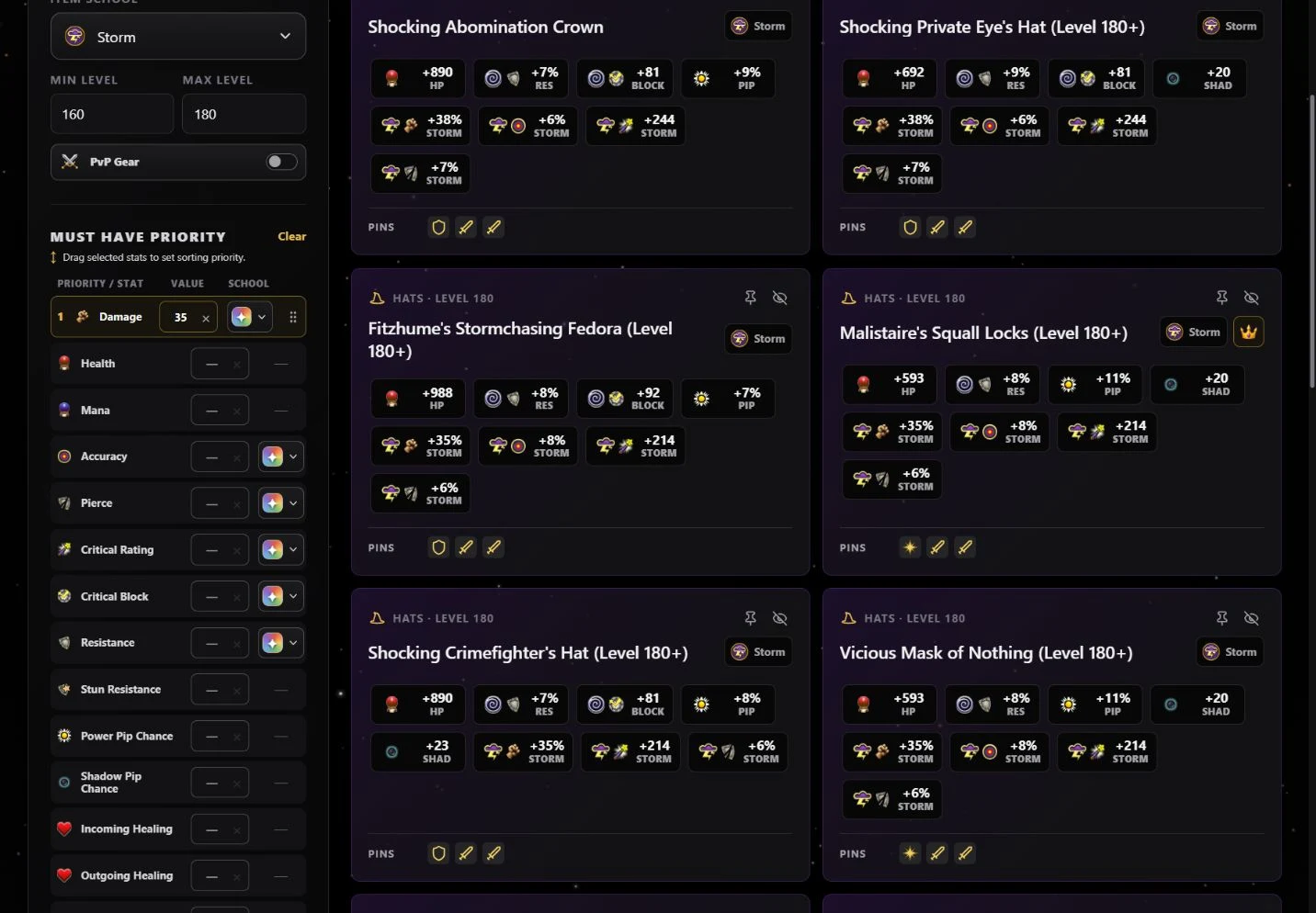
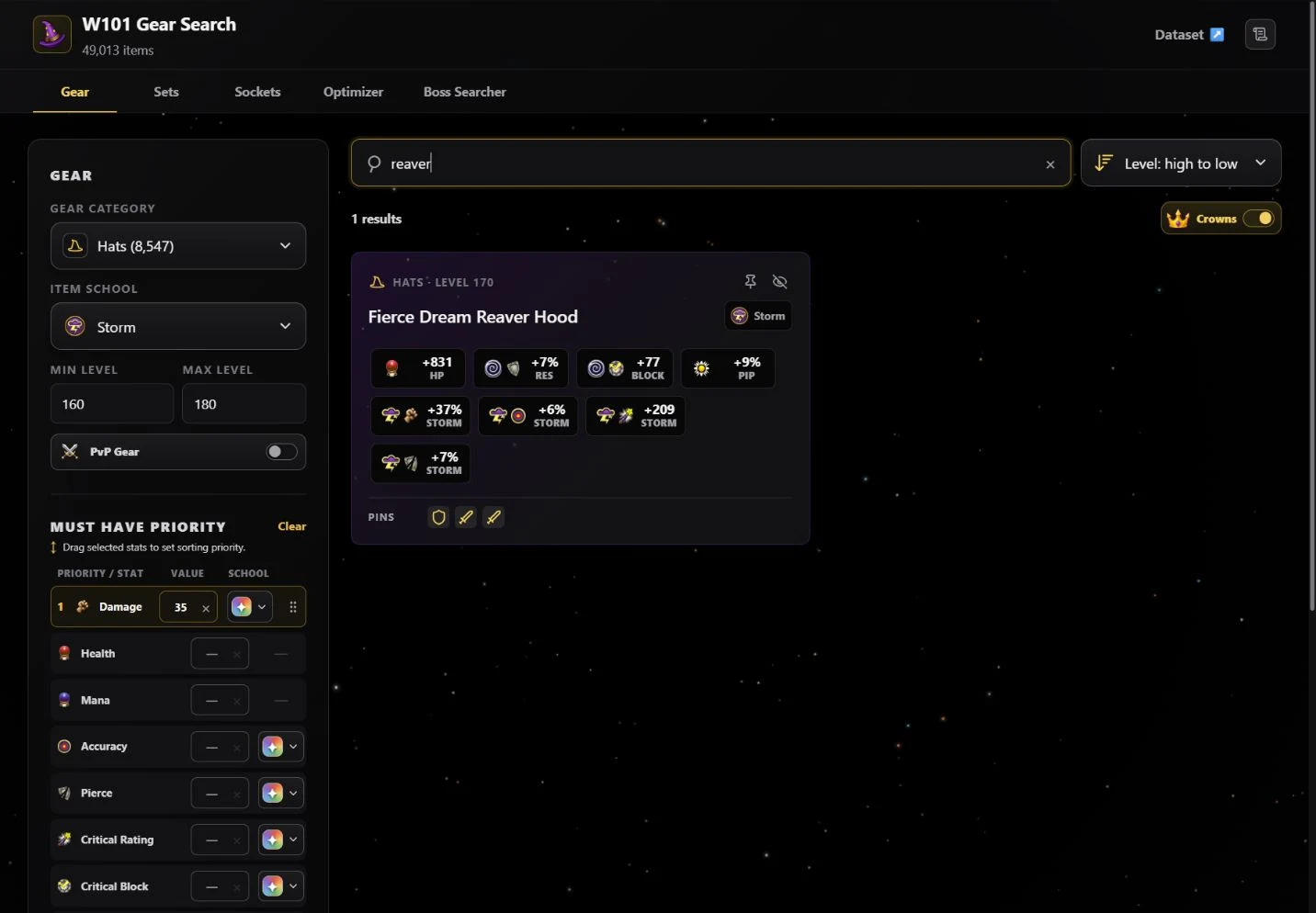
Choose a gear category and school, then set the level range. Search by name when there is already an item in mind.
Make the priorities explicit
Add minimum stat requirements and choose their school scope. Reorder the active stats to establish their sorting priority.
Compare and share
Read item stats, pin useful results, and open the corresponding wiki entry. The URL preserves the filter configuration for a return visit or a shared search.
03 / Under the surface
Load the catalogue in pieces. Keep the interaction local.
The gear data is normalized into static JSON files by category. A small manifest describes the catalogue; selecting a category loads the relevant file and caches it for the current visit. Filtering and sorting then happen in the browser.
React's deferred updates separate filter input from result computation. Changing the ordering of active stat priorities uses a transition, allowing the controls to remain responsive while the result order catches up.
Search state is serialized into the URL, including the category, school, level range, sorting mode, and ordered stat filters. A link can restore the actual search rather than dropping someone at an empty starting point.
04 / The result
A search that can travel with the player.
The live tool combines a structured gear catalogue with filters, comparison controls, and shareable searches. Its static data approach keeps the core browsing workflow independent of a live database or external search API.